
Beer Banter Show Advertisement
I created this piece on spec for a friend's beer review stream as a way to practice developing product-style renders. An earlier version used Insydium's X-Particles to create the condensation system, but for this 2025 update, I wanted to achieve the same look using native Cinema 4D tools while refining the overall composition, lighting, and animation.
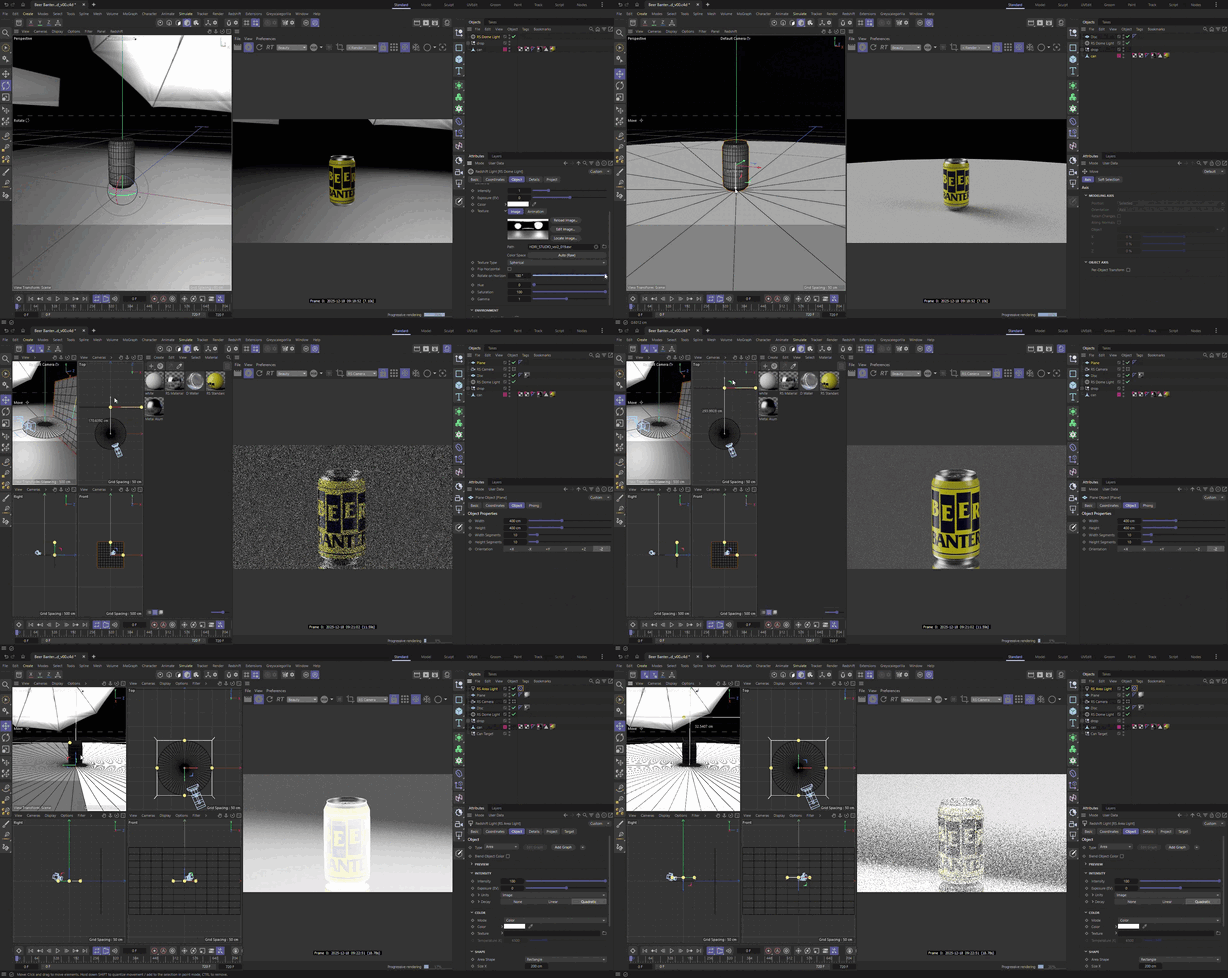
I began by building the set. I placed the can on a disc to ground it in the scene, then positioned a white bounce card behind it to reflect light back onto the can. I added an HDRI of a typical photography studio for environmental lighting, then applied a ramp gradient to the disc's reflection roughness and opacity to create an infinite reflective floor and expand the lighting possibilities.

I added rim lights on either side of the can to highlight its contours, then placed a top light to subtly define the edges of the can's lid. A key light illuminating the logo ensured readability and completed the lighting setup. Finally, I added a spotlight hitting the bounce card with an animated caustic gobo texture to bring dynamism and visual interest to the background.

Next, I needed to create the condensation system. After researching Cinema 4D's native particle system, I determined the best approach was to use C4D's cloner and MoGraph tools to scatter droplets across the can. I modeled several droplet shapes from a basic cube and placed them in a cloner set to object mode, targeting the can's main surface. Then I created a matrix scatter with a tracer and used a plain effector to animate droplets running down the can's face. Adding a volume builder/mesher gave me animated running droplets to bring life to the can's surface.

With the lighting, modeling, and animation complete, I designed the shots that would comprise the final piece. I wanted to add dynamic movement, so I composed several shots where both the camera and can could move to create more engaging compositions. By placing the can/droplet rig into a cloner, I was able to create the fanning animation in shot 4 and the alternating can lines in shot 5.

Finally, I experimented with Cinema 4D's native particle system to create a liquid simulation. Using a helix spline to direct the particles, I fine-tuned the particle count and turbulence levels to achieve a more fluid motion, then added a volume builder/mesher to complete the liquid effect.

This project offered a valuable opportunity to explore a different animation style than I typically work in. Product renders for beverages require a unique skill set, and I used this piece to experiment with new tools and techniques. The result was effective social media content for a friend and a significant learning experience for myself.